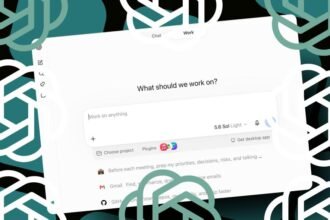

Cursor AI is an integrated development environment (IDE) designed to help developers build software using autonomous AI agents. Unlike traditional editors that simply suggest snippets, Cursor AI provides an “agent-first” workspace where users orchestrate multiple AI agents to write, test, and manage entire codebases independently.
The landscape of software engineering is undergoing a massive transformation. We are moving away from the era of simple autocomplete and entering a “third era” of development. In this new phase, developers act less like manual typists and more like high-level architects or managers, overseeing fleets of autonomous agents that handle the heavy lifting of implementation.
Table of Contents

What is Cursor AI and Why Does It Matter?
At its core, Cursor AI is a tool built to bridge the gap between human intent and executable code. While it began as a fork of VS Code, it has evolved into something much more profound. The platform is designed to integrate large language models (LLMs) directly into the developer’s workflow, making the AI a central participant in the creation process rather than a sidecar tool.
The importance of Cursor AI lies in its ability to handle complexity. As software systems grow, the mental overhead of managing files, dependencies, and deployment becomes immense. By leveraging AI agents, Cursor AI reduces this friction, allowing developers to focus on high-level logic and problem-solving. According to recent updates from the Cursor team, the goal is to build toward “self-driving codebases” that can manage their own pull requests and monitor production environments.
The Shift to an Agent-First Workspace
For a long time, AI in coding followed a “prompt and check” pattern. You would ask the AI to write a function, review it, and then manually paste it into your file. Cursor 3, released under the codename “Glass,” marks a radical departure from this model. It is not an incremental update; it is a complete rebuild of the user experience.
The fundamental philosophy has changed: the IDE is no longer just about editing files. Instead, the interface is built around AI agents. In this new paradigm, the developer’s primary job is to provide direction and review the output of agents that are working across different repositories and environments simultaneously. This shift is driven by usage data showing that agent-based interactions are now significantly outperforming simple autocomplete features.
Breaking Down the New Cursor 3 Features
The latest version of Cursor AI introduces several groundbreaking features that distinguish it from any other coding tool currently on the market. These features are designed to maximize “throughput,” allowing a single developer to accomplish what previously required an entire team.
The Revolutionary Agents Window
Perhaps the most significant addition is the Agents Window. Previously, developers were limited to one chat or one agent at a time. The new Agents Window allows for massive parallelism. You can launch as many agents as you need, each assigned to a specific task, and view them side-by-side in a grid or list layout.
This means you could have one agent refactoring a legacy module, another writing unit tests for a new feature, and a third monitoring a deployment—all running at once. This capability transforms the developer from a coder into an orchestrator of an “AI fleet.”
Seamless Cloud and Local Agent Handoff
One of the biggest challenges with AI agents is resource management. Running complex, long-running tasks on a local laptop can drain battery and slow down the machine. Cursor AI solves this with a sophisticated Cloud and Local Agent Handoff system.
You can push a local agent session to the cloud so it can continue working even after you close your laptop. Conversely, when a cloud agent completes a task, you can drag that session back to your local machine to inspect the code, run it in your local environment, and iterate using Composer 2. This ensures that developers are never interrupted by the limitations of their hardware.
Design Mode and Integrated Browsing
To further enhance the agentic experience, Cursor 3 includes Design Mode and an integrated browser. This allows agents to not only write code but also to see it in action. An agent can open a local website, navigate through the UI, and interact with elements to verify that the code it just wrote actually works as intended. This creates a closed-loop system of development, testing, and verification.
Composer 2 and Advanced Git Workflow
Efficiency is also found in the workflow management. Cursor AI now features built-in Git capabilities, allowing agents to handle staging, committing, and even managing pull requests directly within the interface. This removes the need to constantly switch between the IDE and a terminal or a separate Git client, keeping the developer in a state of “flow.”
Cursor AI vs. Claude Code and OpenAI Codex
The market for AI coding tools is heating up. Cursor AI finds itself in direct competition with heavyweight players like Anthropic’s Claude Code and OpenAI’s Codex. While these models are incredibly powerful, Cursor’s advantage lies in its integration.
While Claude Code and Codex often exist as standalone models or specific tools, Cursor AI provides a full-fledged development environment that wraps these models in a highly specialized interface. It combines the raw intelligence of frontier models with the practical necessities of a professional IDE, such as LSP support, debugging tools, and complex file management. This “hybrid” approach makes it a more complete solution for professional engineers.
How the Developer’s Role is Shifting
As Cursor AI and similar tools become more autonomous, a valid question arises: what happens to the human developer? The consensus among industry experts is that the role is not disappearing, but rather evolving.
The future developer will focus on:
- System Architecture: Designing how different components of a system interact.
- Problem Definition: Translating vague business requirements into precise technical instructions for agents.
- Quality Assurance: Using critical thinking and judgment to ensure the AI’s output is secure, efficient, and maintainable.
- Edge Case Management: Handling the complex, non-standard problems that autonomous agents may struggle to solve.
While there are concerns about a potential reduction in foundational coding skills, the productivity gains are undeniable. Companies are increasingly viewing these tools as a way to boost velocity and ship higher-quality code at a much faster rate.
Frequently Asked Questions
What is the main difference between Cursor AI and a standard IDE?
A standard IDE is a tool for manual code editing. Cursor AI is an “agent-first” workspace where the primary interaction is managing autonomous AI agents that can perform multi-step coding tasks on your behalf.
Can I use Cursor AI with my existing JetBrains setup?
Yes. As of early 2026, Cursor is available within JetBrains IDEs via the Agent Client Protocol (ACP), allowing you to use its powerful agents within your preferred environment.
Is Cursor AI better than GitHub Copilot?
While GitHub Copilot is an excellent assistant for autocomplete and small tasks, Cursor AI is designed for more complex, agentic workflows, such as running multiple tasks in parallel and managing entire features autonomously.
Do I still need to know how to code to use Cursor AI?
Yes. While the AI can write large amounts of code, a developer is still required to guide the agents, architect the system, and verify that the generated code meets quality and security standards.
For more information on the latest updates, visit the official Cursor website.